For the complete documentation index, see llms.txt. Markdown versions of all docs pages are available by appending .md to any docs URL.
Secure the UI
Require users to log in to the UI with an OIDC policy on the gateway that serves it.
About
To require users to authenticate, apply a browser OIDC policy to the gateway that serves the UI. Unauthenticated requests are redirected to your identity provider (IdP) to log in, and only requests that pass the policies in ui.policies reach the UI.
The ui.policies section takes the same policies that a route takes, so you can also use JWT, basic, or API key authentication for programmatic access. To restrict which authenticated users get in, add an authorization policy alongside the authentication policy.
The oidc policy in ui.policies also accepts bearer ID tokens, so CLI clients can call the UI’s API without a browser session. The client sends an ID token from the same identity provider and client in the Authorization: Bearer <token> header. This default is credentials: sessionOrBearer. To accept only browser sessions, set credentials: session. For more information, see Bearer tokens for API clients.
Note
A policy in ui.policies applies only to the gateways that the ui section lists. It does not apply to the copy of the UI on the admin interface, which stays unauthenticated. That is safe by default, because the admin address is loopback-only, but it is a reason not to move it. For more information, see The UI and the admin interface are not the same thing.
Before you begin
- Install standalone agentgateway.
- Serve the UI on its own gateway. The examples on this page apply the OIDC policy to the
ui-gatewayon port4001that you created in that guide. - Set up an IdP, such as Keycloak or Microsoft Entra ID. Consider creating a client specifically for the UI, such as
agentgateway-ui. For provider-specific setup instructions, see the identity provider integrations.
Binary and Docker
You can add the policies in the UI or in your configuration file.
Whether the UI can save depends on your storage mode. For more information, see Save changes from the UI. UI access policies also require the UI to be on a gateway, such as the ui-gateway from Serve the UI on its own gateway.
Set the environment variables for the session cookie key and the UI client that you created in your IdP.
OIDC_COOKIE_SECRETis an AES-256-GCM key that agentgateway uses to encrypt session cookies. Generate 32 random bytes, encoded as 64 hexadecimal characters. If this key is missing, agentgateway does not start with anoidcpolicy.REDIRECT_URImust match the address that you serve the UI on, and it must be registered as a valid redirect URI in your IdP.
export OIDC_COOKIE_SECRET="$(openssl rand -hex 32)"
export ISSUER_URL=https://keycloak.example.com/realms/agentgateway
export UI_CLIENT_ID=agentgateway-ui
export UI_CLIENT_SECRET=<client-secret>
export REDIRECT_URI=http://localhost:4001/oauth/callback
Restart agentgateway from the same shell, so that agentgateway has these variables in its environment. In Docker, add
-e OIDC_COOKIE_SECRET -e ISSUER_URL -e UI_CLIENT_ID -e UI_CLIENT_SECRET -e REDIRECT_URIto yourdocker runcommand. For the full command, see the Docker tab in the Config file tab.Open the Settings > UI page on the admin interface, such as http://localhost:15000/ui/settings/ui. The policies do not apply to the admin interface, so you keep access while you edit them. Confirm that the Public gateway dropdown shows
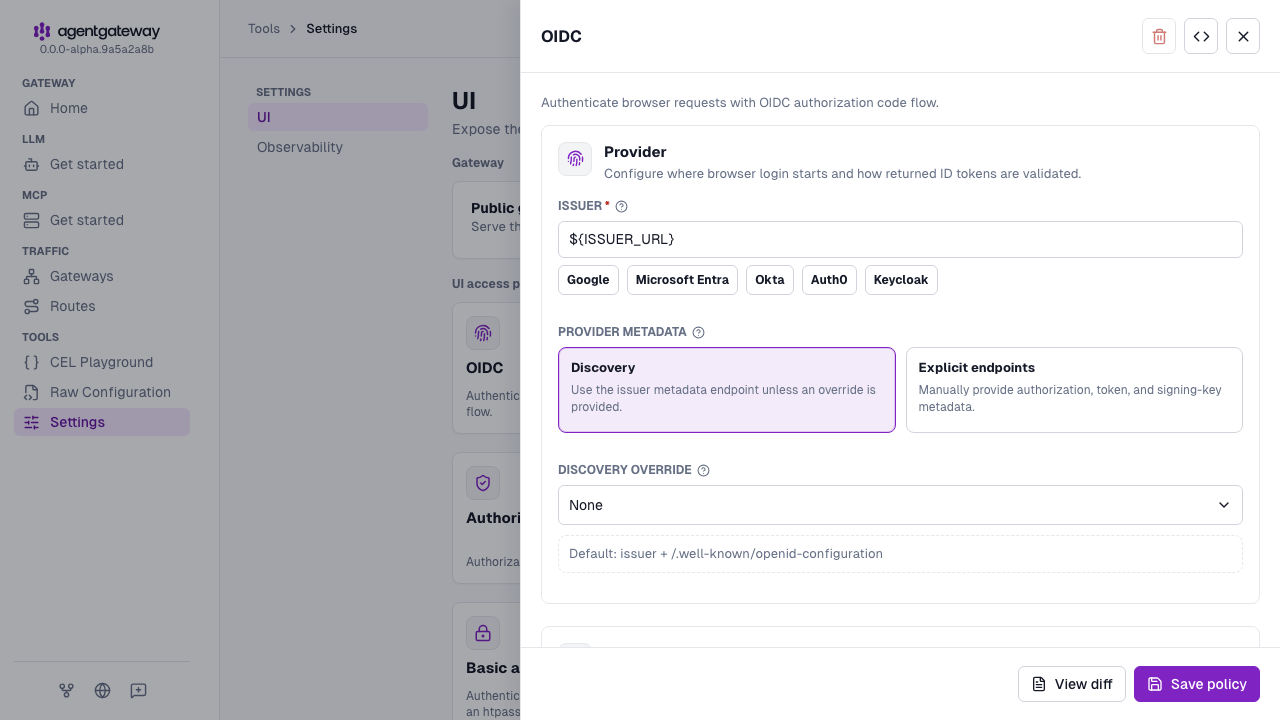
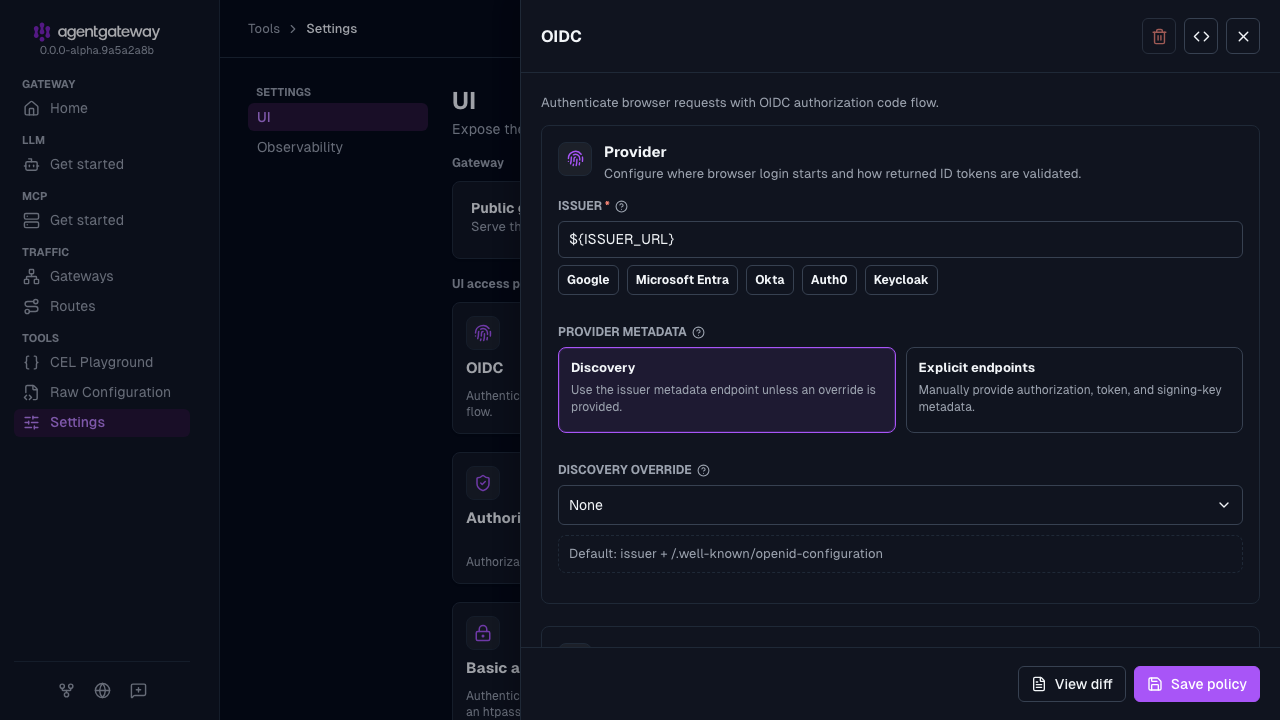
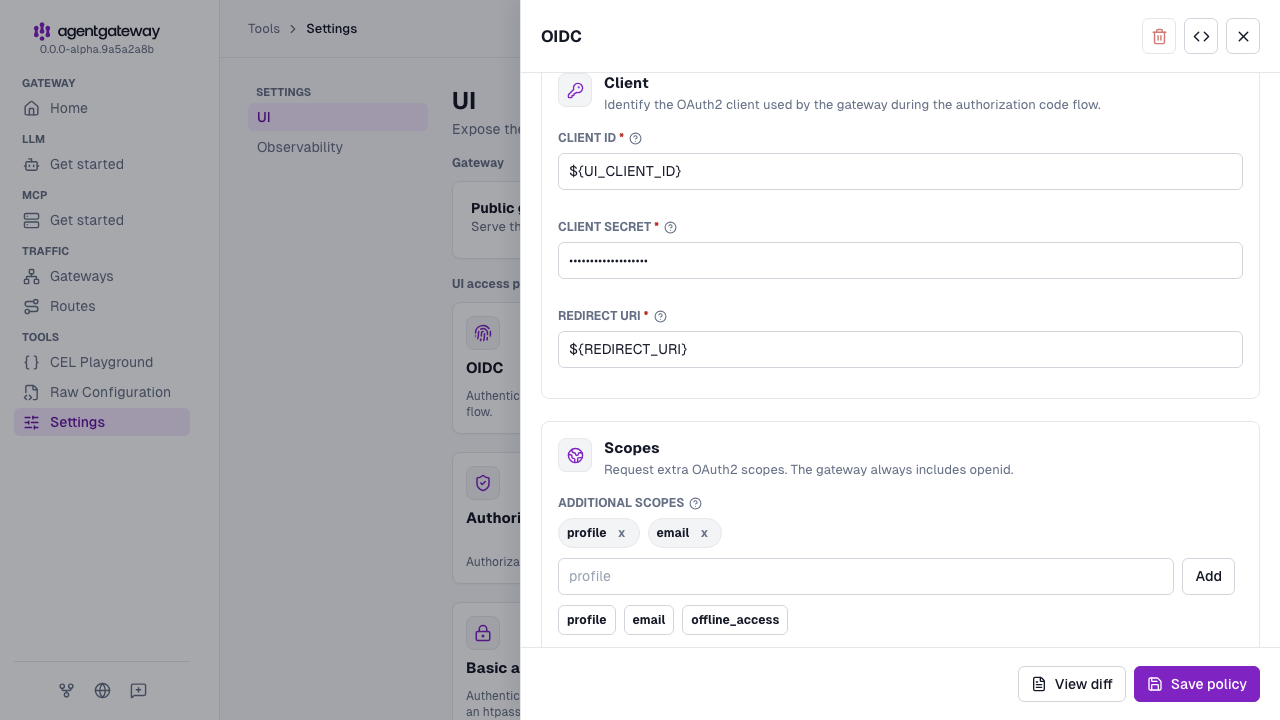
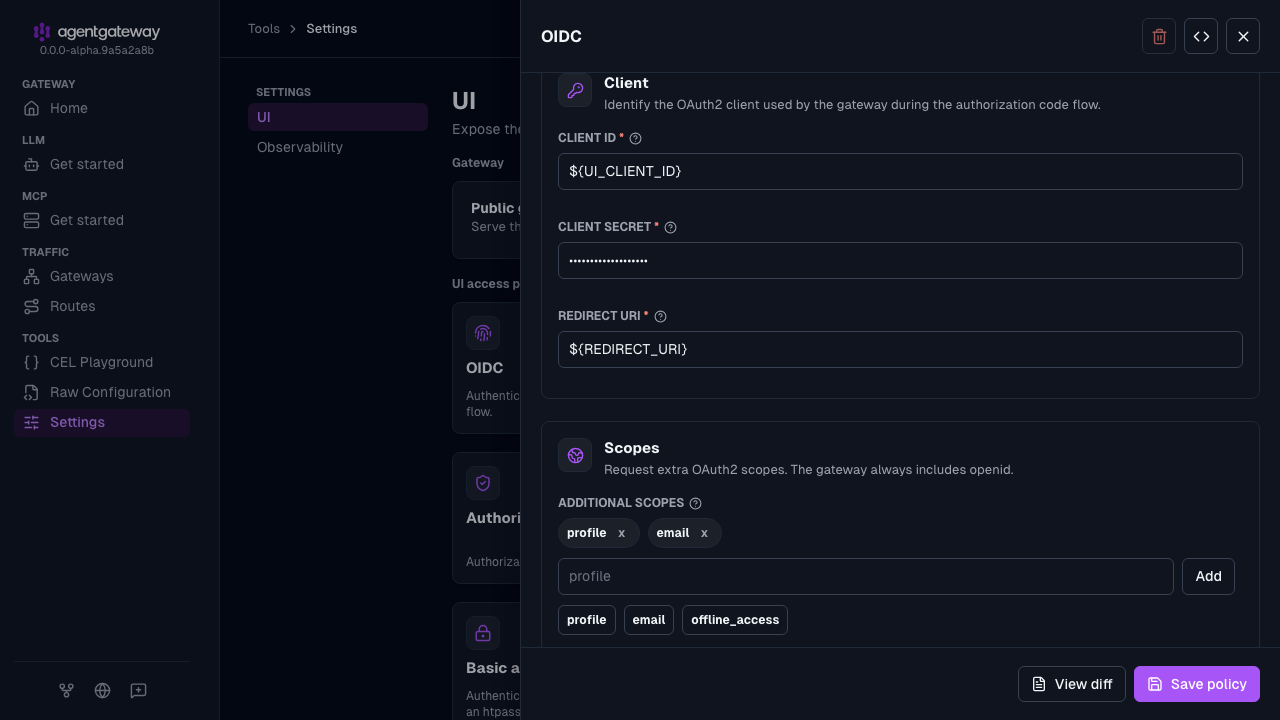
ui-gateway.In the UI access policies section, click the OIDC card, and configure the following fields. You can enter environment variable references, which agentgateway expands when it loads the configuration. This way, the client secret is not written into the file.
- Issuer:
${ISSUER_URL} - Client ID:
${UI_CLIENT_ID} - Client secret:
${UI_CLIENT_SECRET} - Redirect URI:
${REDIRECT_URI} - Additional scopes: Click the
profileandemailsuggestions.
- Issuer:
Click Save policy. The save fails if agentgateway cannot fetch the OIDC discovery document from the issuer, or if a referenced environment variable is not set.
Optional: Restrict access to users whose email address ends in
@example.com.- Click the Authorization card, and click Add rule.
- Keep Allow as the effect, and replace the example expression with
jwt.email.endsWith("@example.com"). - Click Save policy.
Open the UI at the gateway’s address, such as http://localhost:4001/ui/. Instead of loading the UI, agentgateway shows a Sign in page. Click Sign in with SSO to log in with your OIDC provider. After you authenticate, you are returned to the UI.
Helm
Save the details of the UI client that you created in your IdP as environment variables. The redirect URI must match the address that you expose the UI on, and it must be registered as a valid redirect URI in your IdP. If you plan to expose the UI on a hostname, use that hostname now so that you do not have to register a second redirect URI later.
export ISSUER_URL=https://keycloak.example.com/realms/agentgateway
export UI_CLIENT_ID=agentgateway-ui
export UI_CLIENT_SECRET=<client-secret>
export REDIRECT_URI=https://agentgateway.example.com/oauth/callback
Create a Secret that holds the session cookie encryption key and the OIDC client secret.
After a user logs in, agentgateway keeps the session in a browser cookie that it encrypts with the session cookie encryption key. The key is a random value that you generate, not a value that your IdP gives you. Agentgateway requires an AES-256-GCM key, which is 32 random bytes that are encoded as 64 hexadecimal characters. Agentgateway refuses to start when an
oidcpolicy is set and this key is missing or is not that length.kubectl create secret generic agentgateway-ui-secrets \ -n agentgateway-system \ --from-literal=OIDC_COOKIE_SECRET="$(openssl rand -hex 32)" \ --from-literal=UI_CLIENT_SECRET="${UI_CLIENT_SECRET}"Note
You choose the Secret’s name, and you pass it to the chart in the
oidc.cookieSecretNamevalue in the next step. However, the key within the Secret must be namedOIDC_COOKIE_SECRET, because the chart reads that exact key. The client secret key can have any name, as long as theextraEnventry that you add in the next step refers to the same name. This example keeps both values in one Secret, but you can also keep them in separate Secrets. In that case, setoidc.cookieSecretNameto the Secret that holds the cookie key, and point theextraEnventry at the Secret that holds the client secret.Add the OIDC policy to the
uisection, point the chart at the Secret, and pass the client secret to the pod as an environment variable.Set the chart value
oidc.enabled: trueto injectOIDC_COOKIE_SECRETfrom the named Secret. Setting onlyoidc.cookieSecretNamedoes not inject the key, and agentgateway cannot start with an OIDC policy without it.The heredoc in this step is unquoted, so your shell substitutes the issuer, client ID, and redirect URI as it writes the file. The
\$UI_CLIENT_SECRETreference is escaped, so it stays in the file as a literal$UI_CLIENT_SECRETthat agentgateway resolves from the pod environment at startup. This way, the client secret stays in the Secret instead of the ConfigMap.cat <<EOF > values.yaml config: gateways: default: port: 4000 ui-gateway: port: 4001 ui: gateways: [ui-gateway] policies: oidc: issuer: ${ISSUER_URL} clientId: ${UI_CLIENT_ID} clientSecret: \$UI_CLIENT_SECRET redirectURI: ${REDIRECT_URI} scopes: - profile - email routes: - matches: - path: pathPrefix: / backends: - host: httpbin.httpbin.svc.cluster.local:8000 oidc: enabled: true cookieSecretName: agentgateway-ui-secrets extraEnv: - name: UI_CLIENT_SECRET valueFrom: secretKeyRef: name: agentgateway-ui-secrets key: UI_CLIENT_SECRET EOFUpgrade the release with your values file.
helm upgrade -i agentgateway-standalone \
  oci://cr.agentgateway.dev/charts/agentgateway-standalone \
  --namespace agentgateway-system \
  --version 0.0.0-latest-dev \
  --reuse-values \
  -f values.yaml
Confirm that the pod is running.
kubectl get pods -n agentgateway-system \
  -l app.kubernetes.io/name=agentgateway-standalone
Port-forward the UI port again, and confirm that an unauthenticated request is redirected to your IdP.
kubectl port-forward -n agentgateway-system \
  deploy/agentgateway-standalone 4001:4001
curl -s -o /dev/null -D- http://localhost:4001/ui | grep -i locationExample output:
location: https://keycloak.example.com/realms/agentgateway/protocol/openid-connect/auth?response_type=code&client_id=agentgateway-ui&...
Important
Agentgateway fetches the OIDC discovery document at startup, so the issuer must be reachable from the pod. When the fetch fails, the pod does not start, and the logs report failed to decode oidc discovery response from uri. If the pod enters CrashLoopBackOff after you add the policy, check the issuer URL and any egress restrictions.
Authenticate CLI access
To call the resource API of the UI from the command line, configure an agctl connection profile with an exec credential plugin. The authentication policy of the API must accept the credential that the plugin returns, such as a JWT bearer token. A browser OIDC session does not authenticate CLI requests.
To verify the connection, run agctl standalone --gateway <profile-name> get all. Set the URL of the profile to the authenticated gateway, without /ui or /api. The admin address remains a separate access path without authentication, as described earlier on this page.
Next steps
- Expose the UI on your own HTTPS hostname, now that a login is required.
- Choose where configuration is stored so that the UI can save your changes.